Excel/Sheets
Debt Snowball & Avalanche Payoff Calculator - Excel & Google Sheets Template
$12
Buy nowOne-time purchase. Secure checkout on Whop opens in a new tab.
- FormatExcel, Google Sheets
- DeliveryInstant digital download. No physical item shipped.
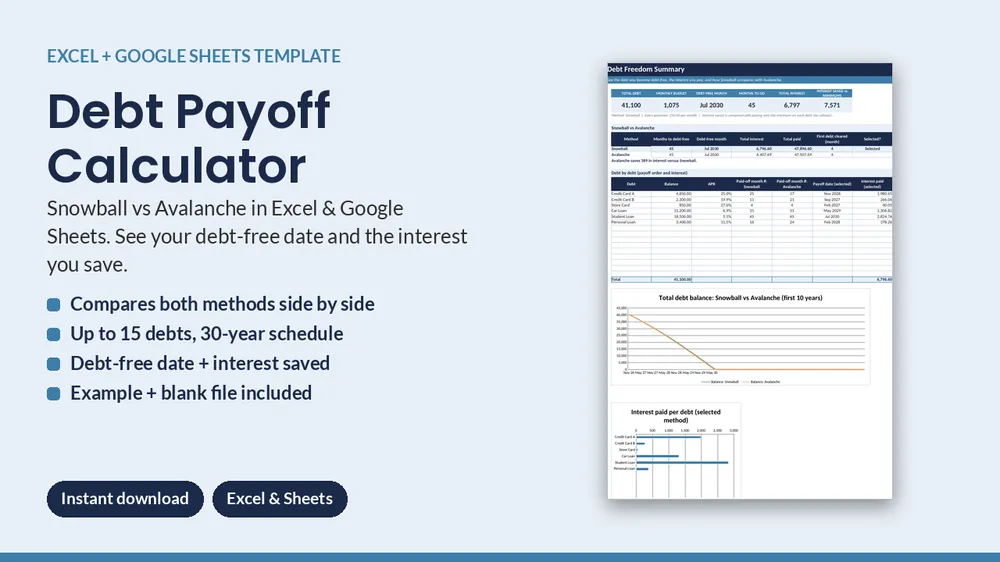
Enter your debts once and see exactly when you will be debt-free, how much interest you will pay, and how the Snowball and Avalanche methods compare.
What you get
- BLANK workbook, ready for your own debts
- EXAMPLE workbook with six sample debts to show how it works
- Quick-start guide, plus a "Start Here" tab inside the workbook
Inside
- Debts: up to 15 debts (balance, APR, minimum), method dropdown, extra monthly payment, automatic payoff order, warning when a minimum is too low
- Summary: debt-free month, months to go, total interest, interest saved vs minimums, Snowball vs Avalanche side by side, payoff date and interest for each debt, 2 charts
- Schedule: up to 360 months showing paid, interest, principal and every debt balance
- Extra money and freed-up payments roll to the next debt automatically
Requirements
Works in Excel 2010 or newer (Windows, Mac, 365) and Google Sheets (upload the .xlsx to Drive and open with Sheets; steps inside). Standard formulas only: no macros, add-ins or subscription. Instant digital download (ZIP); nothing is shipped. For your own use; please do not resell or share.
Estimates for planning only. This is not financial, credit, tax or legal advice.
$12
Instant digital download.